Extensible financial terminal, for the terminal.
Why pay for Bloomberg when you can have Gloomberb?
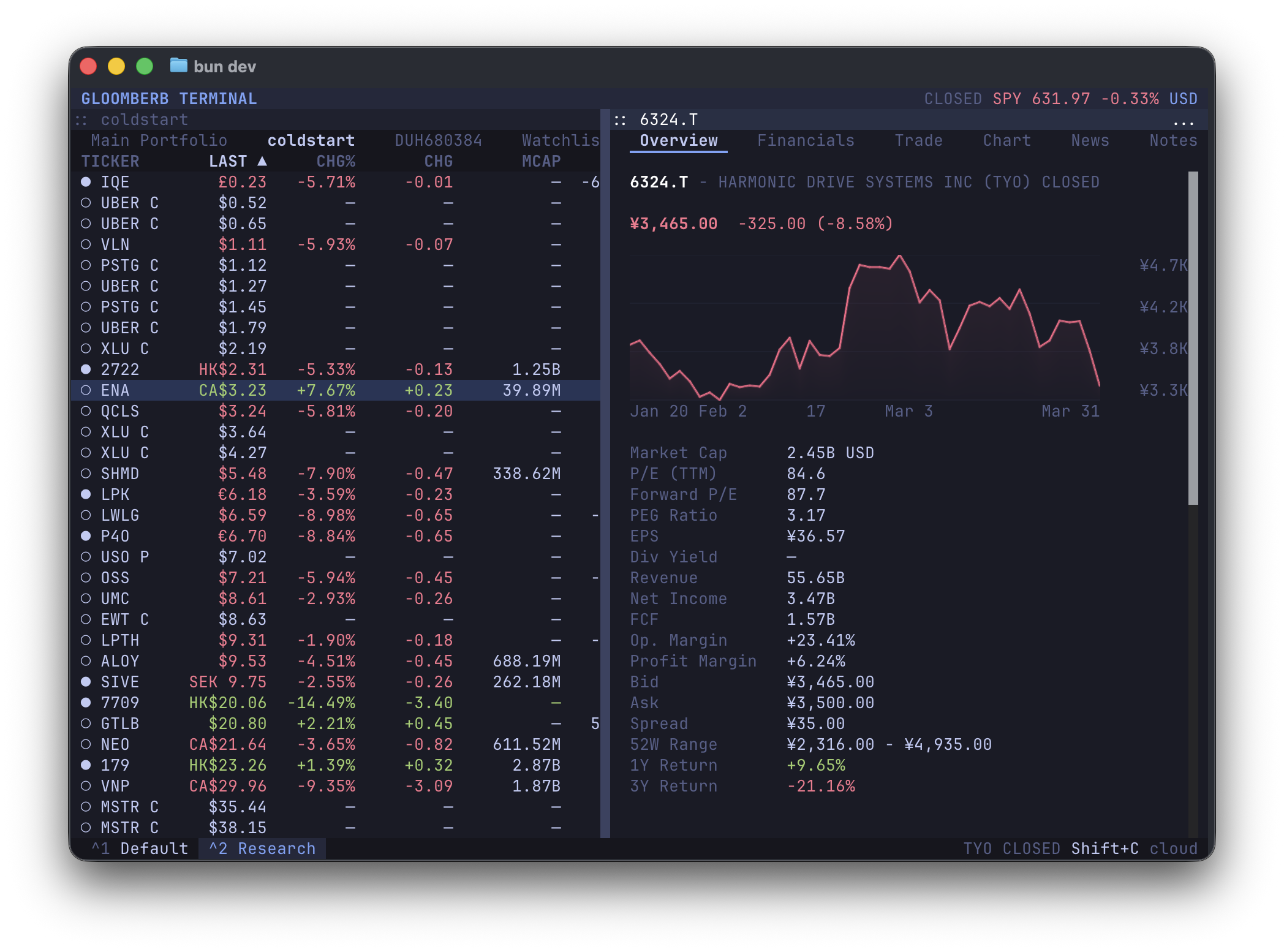
- Track portfolios & trade
- Real-time quotes & fundamentals
- Beautiful high-rez charts
- Fast & keyboard-driven
- Powerful layouts
- Extensible
- 100% local
For the best experience, use a Kitty-compatible terminal such as Ghostty, Kitty or WezTerm.
curl -fsSL gloomberb.com/install | bash
# or
bun install -g gloomberb
Then run gloomberb.
Everything, from the portfolio list to broker integrations, is a plugin.
Plugins can add tabs, columns, commands, status bar widgets, and more.
See PLUGINS.md for the plugin API and the shared UI surface available through gloomberb/components.
| Plugin | Description |
|---|---|
| Portfolio List | Main ticker list with portfolios & watchlists |
| Ticker Detail | Overview, financials, and chart tabs |
| News | View latest news for each ticker (via Yahoo Finance) |
| SEC | View recent SEC filings for supported US equities |
| Notes | Write and save markdown notes, stored locally |
| Options | View US equity options chains |
| AI | Keep an Ask AI detail tab for tickers and create prompt-driven AI screener panes |
| Compare Charts | Compare multiple ticker charts overlaid on one shared chart |
| X Scanner | WIP |
| Alerts | WIP |
| Scanner | WIP |
- The ticker detail pane keeps its
Ask AItab for per-company questions. - The
AI Screenerpane lets you create multiple prompt-based screening tabs, refresh them, force reruns, edit the prompt, and review the last run time. - Use the
AI <prompt>shortcut from the command bar to open a new screener pane seeded with a prompt.
| Provider | Description |
|---|---|
| Gloomberb Cloud | Real-time data (recommended, free) |
| Yahoo Finance | Delayed data, rate-limiting |
| Plugin | Description |
|---|---|
| IBKR | Import positions from Flex Query or trade with Gateway API. |
| Manual Entry | Manually add positions, saved locally |
Toggleable plugins can be enabled/disabled from the command bar screen (Ctrl+p).
| Key | Action |
|---|---|
Ctrl+P or ` |
Open command bar |
Ctrl+x |
Close current window |
Tab |
Switch between panels |
j / k |
Navigate ticker list |
h / l |
Switch tabs |
Ctrl+, |
Open settings |
m |
Cycle chart mode in the chart tab |
q |
Quit |
MIT
- OpenTUI for the layout