vim-qf—short for vim-quickfix—is a growing collection of settings, commands and mappings put together to make working with the location list/window and the quickfix list/window smoother.
Many plugins interact with the quickfix/location list/window in ways that are more or less incompatible with vim-qf. I have put considerable effort in making most vim-qf features optional so it should be possible to disable individual features in case of conflict but well… you never know.
If one of your plugins somehow already manages the quickfix/location list/window, then you should probably look elsewhere.
-
quickfix buffers are hidden from
:lsand buffer navigation -
quit Vim if the last window is a location/quickfix window
-
close the location window automatically when quitting parent window
-
(optional) mappings for
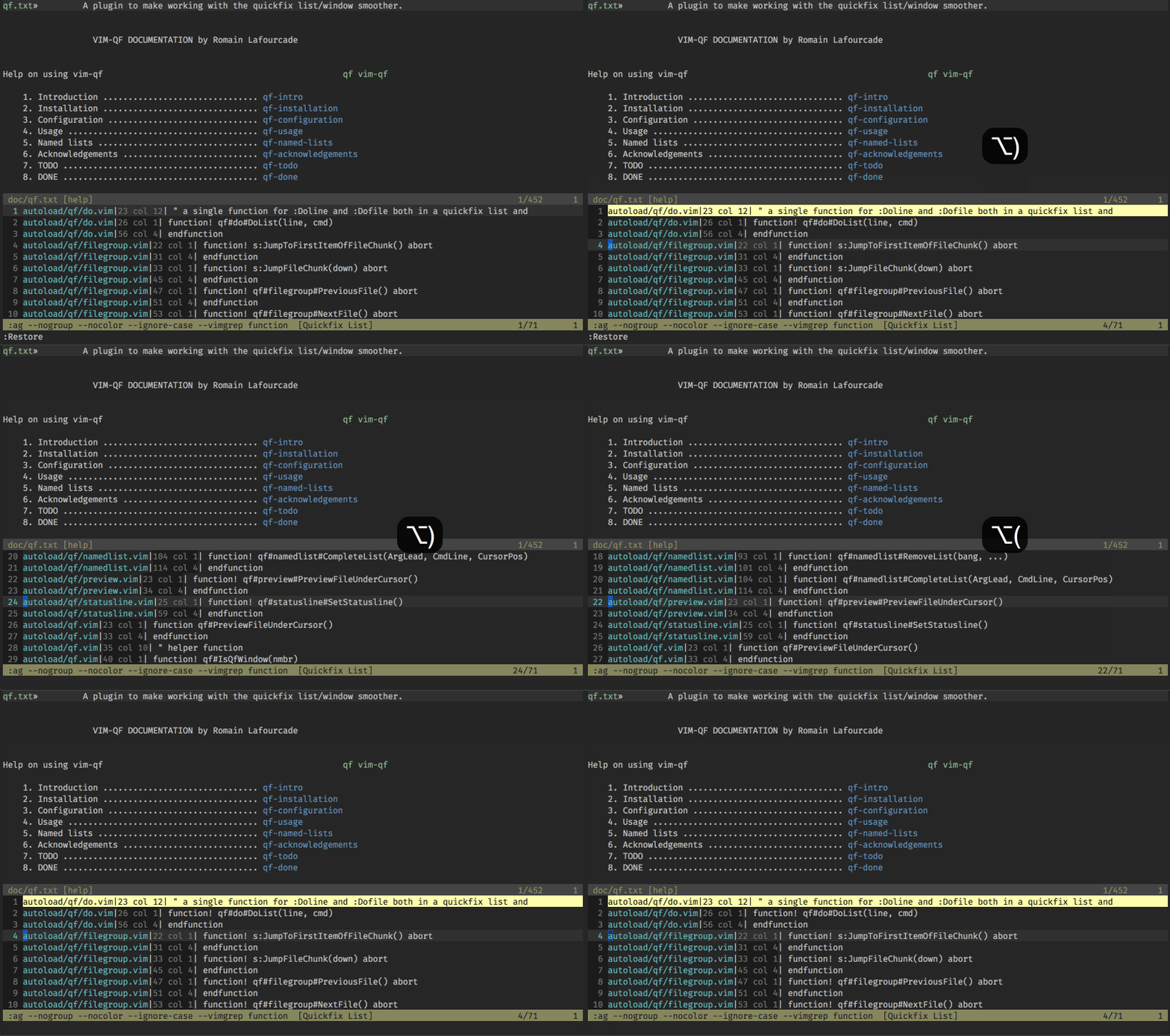
:cnext,:cprevious,:lnext,:lpreviousthat wrap around the beginning and end of the list -
(optional) mapping for jumping to and from the location/quickfix window,
-
(optional) mappings for toggling location/quickfix windows
-
(optional) open the location/quickfix window automatically after
:make,:grep,:lvimgrepand friends if there are valid locations/errors -
(optional) automatically set the height of location/quickfix windows to the number of list items if less than Vim's default height (10) or the user's prefered height
-
enable/disable absolute numbers (enabled by default)
-
enable/disable relative numbers (disabled by default)
-
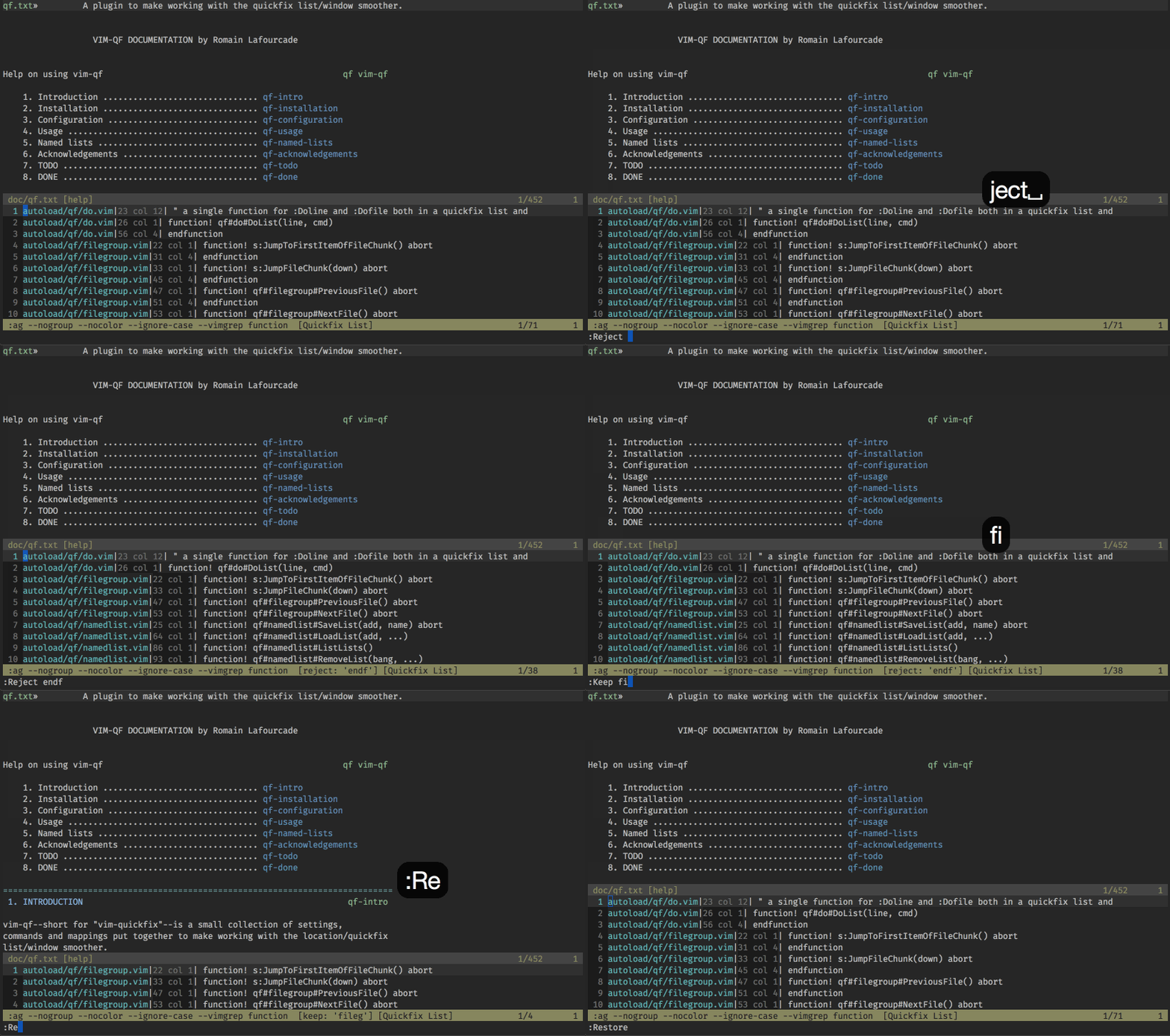
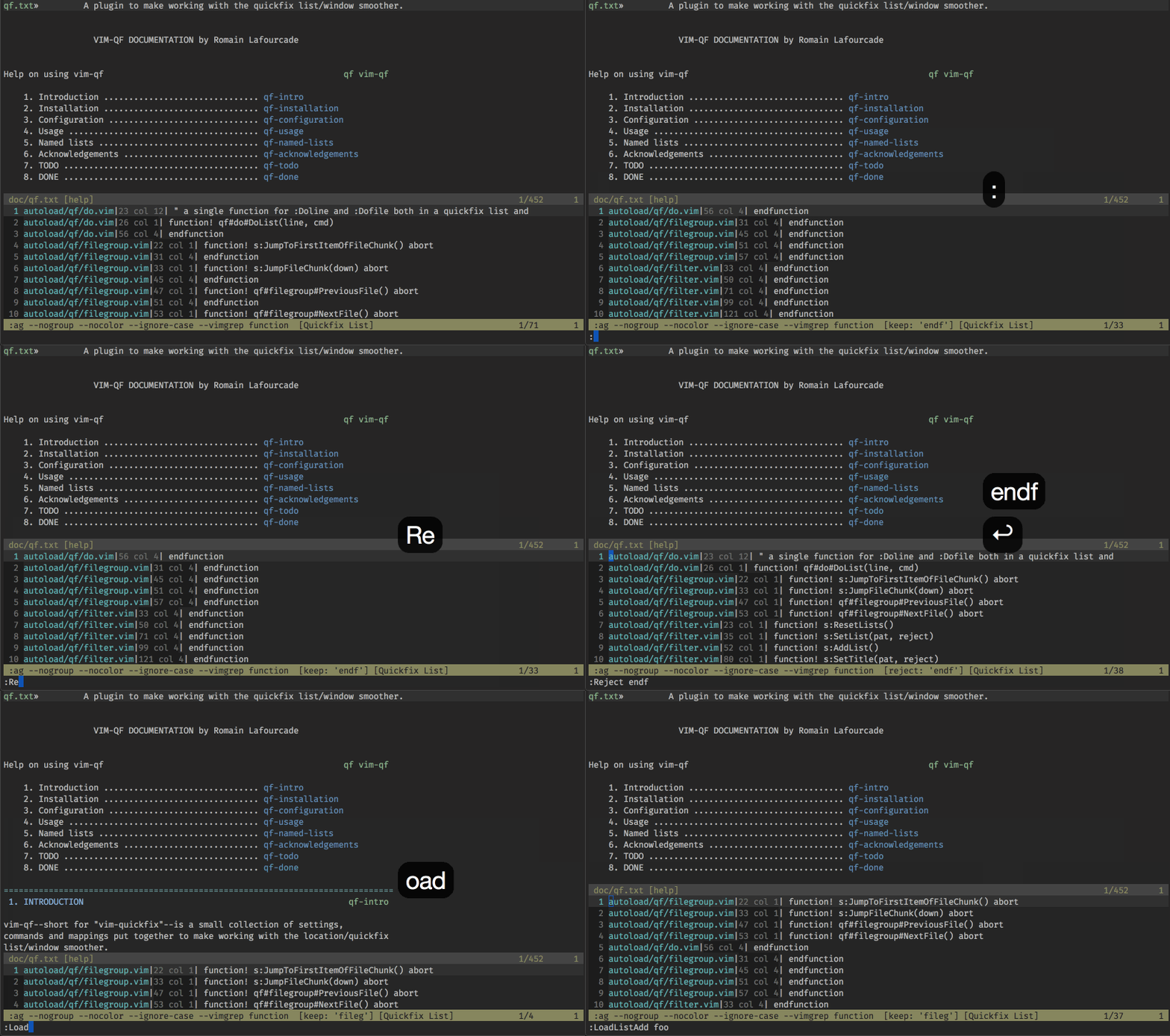
filter and restore the current list:
-
perform commands on each line in the current list
-
perform commands on each file in the current list
-
jump to next group of entries belonging to same file ("file grouping"):
-
save and load named lists:
-
(optional) disable soft-wrapping
-
(optional) Ack.vim-inspired mappings
-
(optional) shorten filepaths for better legibility
Use your favorite runtimepath/plugin manager.
If you are using Vim 8.0 or above, move this directory to:
# Unix-like systems
~/.vim/pack/{whatever name you want}/start/vim-qf

# Windows
%userprofile%\vimfiles\pack\{whatever name you want}\start\vim-qf
See :help package.
If you are using Vim 7.4 or below, move the files in this directory to their standard location:
# Unix-like systems
~/.vim/after/ftplugin/qf.vim
~/.vim/autoload/qf.vim
~/.vim/autoload/qf/*.vim
~/.vim/doc/qf.txt
~/.vim/plugin/qf.vim

# Windows
%userprofile%\vimfiles\after\ftplugin\qf.vim
%userprofile%\vimfiles\autoload\qf.vim
%userprofile%\vimfiles\autoload\qf\*.vim
%userprofile%\vimfiles\doc\qf.txt
%userprofile%\vimfiles\plugin\qf.vim
You can use this command to get help on vim-qf:
:help vim-qf
-
Export more options?
-
Add titles to saved lists, e.g. to display in :ListLists?
-
Use
<Plug>mappings. -
Add proper attribution for a few features.
-
Write a proper
helpfile. -
Ask #vim's opinion.
-
Add a gifcast to the README.
-
Add
:packaddsupport?