
Open-source finance terminal. Fast, keyboard-driven and extensible.
Available as a desktop app or TUI.
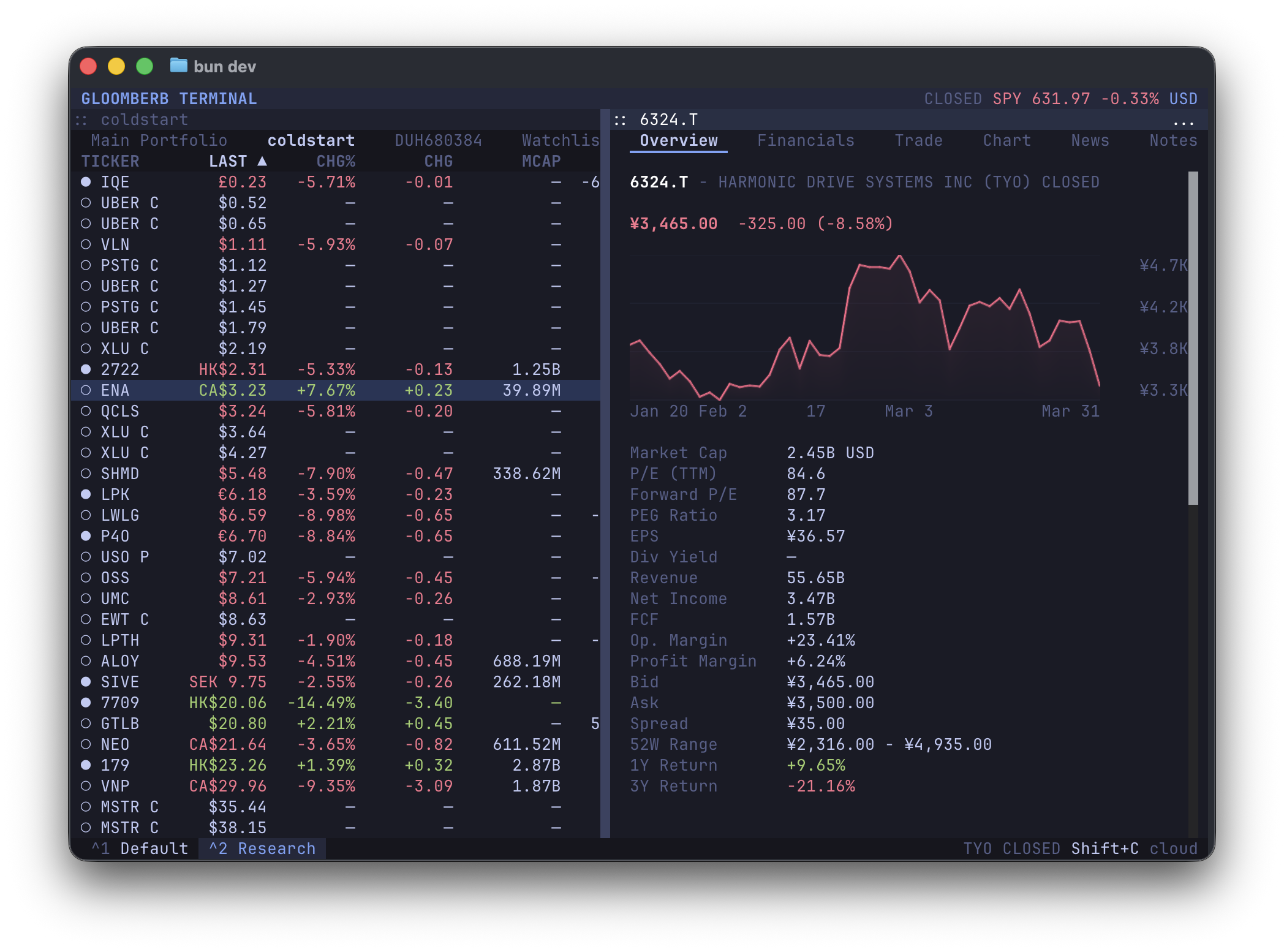
Open the command bar with Ctrl+P or `, then type a shortcut or command name.
| Shortcut | Function |
|---|---|
DES <ticker> |
Security details for a ticker |
FA <ticker> |
Financial statement view |
GP <ticker> |
Price chart |
GIP <ticker> |
Intraday price chart |
HP <ticker> |
Historical OHLCV prices |
GF <tickers> |
Fundamental statement graph |
GE <tickers> |
Valuation multiple graph |
GR <tickers> |
Security relationship graph |
EE <ticker> |
Earnings and revenue estimates |
EM [tickers] |
Earnings monitor |
SRCH <query> |
Provider symbol search |
QQ <tickers> |
Ticker quote monitor |
PM <query> |
Polymarket and Kalshi prediction data |
TOP |
Ranked market stories |
MOST |
Top gainers, losers, most active, and trending tickers |
WEI |
Global equity indices |
ECON |
Economic events and releases |
CMP <tickers> |
Ticker charts |
CORR <tickers> |
Ticker return correlations |
ANR <ticker> |
Analyst targets and ratings |
SEC <ticker> |
SEC filings and company disclosures |
TWIT <query> |
Ticker-related market posts |
OMON <ticker> |
Options monitor |
PORT |
Portfolio risk and sector exposure |
BI / SP |
S&P 500 sector performance |
FXC |
Major FX cross rates |
FNG |
Fear and greed market gauge |
ALRT |
Price alerts |
CHAT |
Gloom Cloud chat |
PF |
Portfolio and watchlist workspace |
N |
News feed |
CN <ticker> |
Ticker news |
NI |
Sector news |
FIRST |
Breaking news |
NOTE |
Notes |
AI <prompt> |
AI screener |
GC |
Yield curve |
ERN |
Earnings calendar |
HDS <ticker> |
Institutional holders |
INS <ticker> |
Insider activity |
EVT <ticker> |
Corporate actions |
RV <tickers> |
Relative valuation |
IBKR |
IBKR trading pane |
BR |
Broker connections |
macOS desktop app + terminal command:
brew install --cask vincelwt/tap/gloomberb
# or
curl -fsSL gloomberb.com/install | bash
Both install Gloomberb.app and a gloomberb terminal command that runs the TUI through the app bundle, so the Bun runtime is stored once.
Desktop-only download:
Terminal-only install:
bun install -g gloomberbThen run:
gloomberbOn macOS, app updates replace the app bundle in place and keep the terminal command pointing at the updated bundle. Homebrew users can also update through brew upgrade --cask gloomberb.
For the best terminal experience, use a Kitty-compatible terminal such as Ghostty, Kitty, or WezTerm.
Running gloomberb with no arguments launches the terminal UI. Use gloomberb help to see the full command list.
| Command | Use |
|---|---|
gloomberb |
Launch the terminal UI |
gloomberb help |
Show all CLI commands |
gloomberb search <query> |
Search tickers and company names |
gloomberb ticker <symbol> |
Show quote, ownership, and financials |
gloomberb portfolio [action] |
Manage manual portfolios |
gloomberb watchlist [action] |
Manage watchlists |
gloomberb predictions [...] |
Launch Prediction Markets |
gloomberb plugins |
List installed plugins |
gloomberb install <user/repo> |
Install a plugin from GitHub |
gloomberb remove <name> |
Remove an installed plugin |
gloomberb update [name] |
Update plugins |
Everything from the portfolio list to broker integrations is a plugin. Plugins can add panes, tabs, columns, command bar commands, CLI commands, status bar widgets, and data providers.
Core plugin areas include:
- Portfolios, watchlists, manual entry, and broker connections
- Ticker details, quotes, charts, options, filings, holders, insiders, and research
- News, market movers, global indices, sectors, FX, earnings, macro data, and yield curves
- Prediction markets, alerts, notes, chat, AI screeners, and external plugins
See PLUGINS.md for the plugin API and the shared UI surface available through gloomberb/components.
| Key | Action |
|---|---|
Ctrl+P or ` |
Open command bar |
Ctrl+, |
Open focused pane settings |
Ctrl+W |
Close focused pane |
Ctrl+Shift+M |
Move focused window (WIN resize starts resize mode) |
Ctrl+Shift+D |
Dock or float focused pane |
Ctrl+Shift+L |
Layout actions |
Ctrl+Shift+G |
Gridlock all windows |
Tab |
Switch panes |
j / k |
Navigate lists |
h / l |
Switch tabs |
m |
Cycle chart mode |
q |
Quit |
Desktop builds also accept the matching Cmd shortcuts on macOS, plus Cmd/Ctrl+Shift+O to pop out a pane.
MIT
- OpenTUI for the layout engine