
Core Laravel admin for all systems (ecommerce, cms, pmo...)
composer require vncore/core
Installation and documentation


Vncore is a compact source code built with Laravel, helping users quickly build a powerful admin website. Whether your system is simple or complex, Vncore will help you operate and scale it easily.
What can Vncore do?
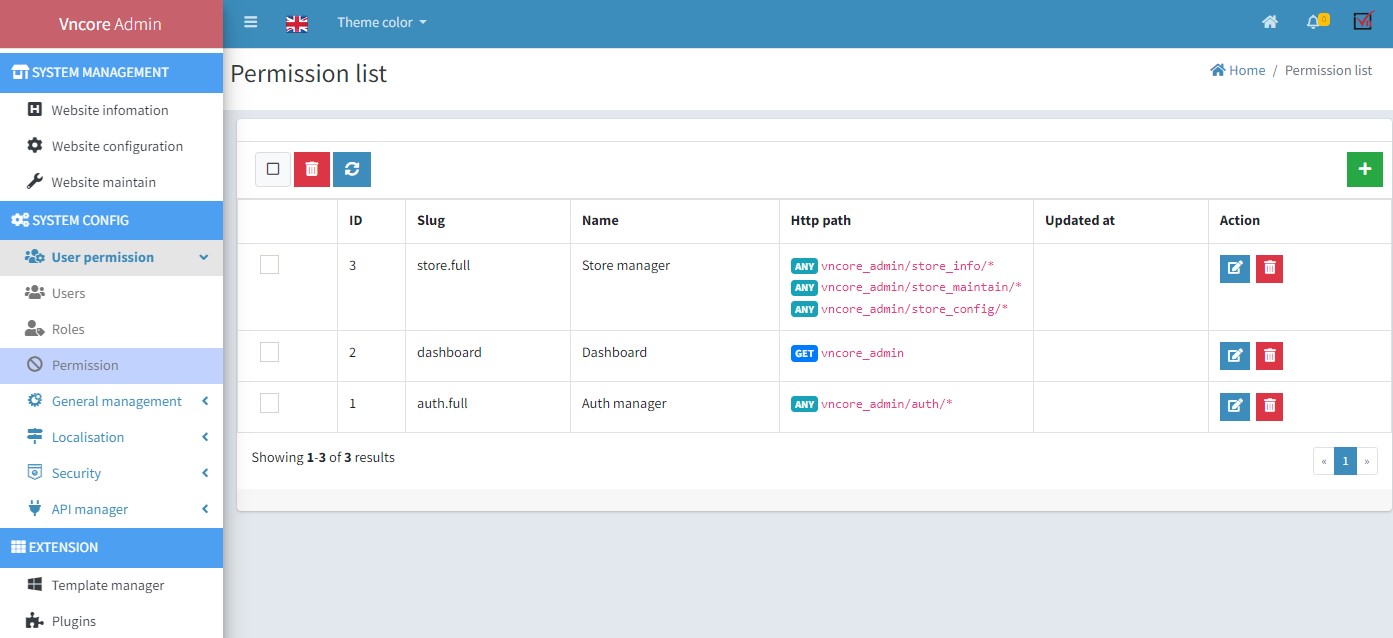
- Provides a powerful and flexible role management and user group solution.
- Offers a synchronous authentication API, enhancing API security with additional layers.
- Build and manage Plugins/Templates that work in the system
- Comprehensive access log monitoring system.
- Continuously updates security vulnerabilities.
- Supports multiple languages, easy management.
- Vncore is FREE
And more:
- Vncore builds a large, open ecosystem (plugin, template), helping users quickly build CMS, PMO, eCommerce, etc., according to your needs.
Vncore 1.x
Core laravel framework 11.x
Website-folder/
|
├── app
│     └── Vncore
│           ├── Core(+) //Customize controller core
│           ├── Blocks(+)
│           ├── Helpers(+)
│           ├── Templates(+)
│           └── Plugins(+)
├── public
│     └── Vncore
│           ├── Admin(+)
│           ├── Templates(+)
│           └── Plugins(+)
├── resources
│            └── views/vendor
│                           └── vncore-admin(+) //Customize view admin
├── vendor
│     └── vncore/core
├── .env
└──...
Support this project 😜 🙏

-
Step 1: Prepare the Laravel source
Refer to the command:
composer create-project laravel/laravel website-folder -
Step 2: Install the vncore/core package
Move to Laravel directory (in this example is
website-folder), and run the command:composer require vncore/core -
Step 3: Check the configuration in the .env file
Ensure that the database configuration and APP_KEY information in the .env file are complete.
If the APP_KEY is not set, use the following command to generate it:
php artisan key:generate -
Step 4: Initialize vncore
Run the command:
php artisan vncore:install
To view Vncore version
php artisan vncore:info
Update vncore
Update the package using the command:
composer update vncore/core
Then, run the command:
php artisan vncore:update
To create a plugin:
php artisan vncore:make plugin --name=PluginName
To create a zip file plugin:
php artisan vncore:make plugin --name=PluginName --download=1
To create a template:
php artisan vncore:make template --name=TemplateName
To create a zip file template:
php artisan vncore:make template --name=TemplateName --download=1
Customize vncore-config and functions
php artisan vncore:customize config
Customize view admin
php artisan vncore:customize view
Overwrite vncore_ helper functions*
Step 1: Use the command
php artisan vncore:customize configto copy the fileapp/config/vncore_functions_except.php
Step 2: Add the list of functions you want to override to
vncore_functions_except.php
Step 3: Create a new function in the
app/Vncore/Helpers folder
Overwrite vncore controller files
Step 1: Copy the controller files you want to override in vendor/vncore/core/src/Admin/Controllers -> app/Vncore/Core/Admin/Controllers
Step 2: Change
namespace Vncore\Core\Admin\Controllerstonamespace App\Vncore\Core\Admin\Controllers
Overwrite vncore API controller files
Step 1: Copy the controller files you want to override in vendor vendor/vncore/core/src/Api/Controllers -> app/Vncore/Core/Api/Controllers
Step 2: Change
namespace Vncore\Core\Api\Controllerstonamespace App\Vncore\Core\Api\Controllers
Use prefix and middleware constants VNCORE_ADMIN_PREFIX, VNCORE_ADMIN_MIDDLEWARE in route declaration.
References: https://github.com/vncore/core/blob/master/src/Admin/routes.php
Quickly disable Vncore and plugins
VNCORE_ACTIVE=1// To disable, set value 0
Disable APIs
VNCORE_API_MODE=1// To disable, set value 0
Data table prefixes
VNCORE_DB_PREFIX=vncore_//Cannot change after install vncore
Path prefix to admin
VNCORE_ADMIN_PREFIX=vncore_admin