Version 5.43.4
A free, standalone prompt-building app for MiniMax H3 video generation and reference-guided image workflows.
One HTML file · no installation · runs locally in your browser
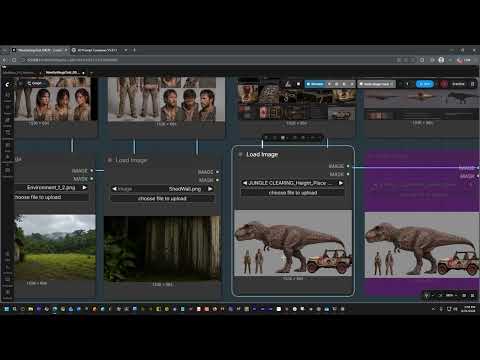
Watch the V5.37.1 tutorial on YouTube
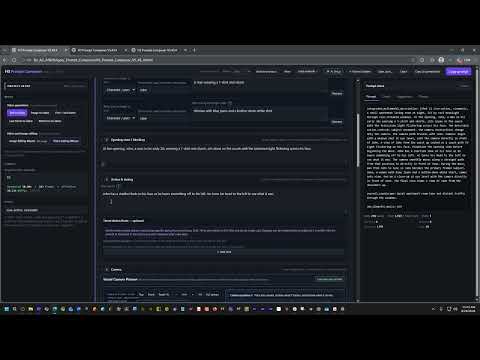
Watch the short walkthrough for recent updates, including improved camera control in Light mode
H3 Prompt Composer turns your filmmaking choices into structured H3 prompts. You work with visual controls for references, Shots, timing, camera movement, dialogue, continuity, editing, and sound; the app assembles the correct prompt structure and checks it before generation.
- Builds prompts for T2VA, I2VA, FL2VA, L2VA, Ref2VA, and reference-guided images.
- Organizes reusable characters, environments, pictures, videos, voices, continuity frames, and placement guides.
- Maps physical ComfyUI inputs with a guided setup instead of making you manage labels by hand.
- Creates multiple named Environment locations from a reusable Picture-input bank.
- Provides a Camera Builder and visual camera-path planner.
- Includes guided workflows for insertion, replacement, targeted edits, relighting, performance transfer, and continuation.
- Handles timed Shots, action beats, dialogue, voiceover, scene transitions, cutoffs, ambience, and music.
- Checks prompt structure, timing, references, audio, camera, continuity, and input routing.
- Runs offline and keeps project data in your browser unless you choose to save or export it.
| Guided Reference Setup | Visual Camera Planner |
|---|---|
| Map connected Picture, Video, and Audio inputs. Create named locations and assign each one its own subset of the shared Environment bank. | Place timed camera positions, choose straight or arc movement, and generate one natural camera instruction. |
| Guided Targeted Edit | Prompt Check |
|---|---|
| Define the requested change, protect the source footage, and choose one camera-authoring method. | Catch structural, timing, reference, dialogue, audio, camera, continuity, and mapping conflicts before generation. |
| Local Frame Grabber | AI Project Setup |
|---|---|
| Capture native-resolution PNG frames from local video and give them purpose-readable filenames. | Export structured project context for an external LLM and validate returned project JSON before import. |
Build a one-frame edit or composite prompt with explicit reference roles, requested changes, protected elements, and output requirements.
- Download Prompt_Composer.html.
- Open it in Chrome, Edge, Firefox, or another modern browser.
- Choose a mode, describe the Generation, and add only the references you need.
- Review Check, then click Copy prompt and paste the result into your H3 workflow.
The Composer describes media already connected to H3 or ComfyUI. It does not upload reference files or run the model itself.
| Mode | Use it for |
|---|---|
| T2VA | Text-to-video generation |
| Starting from a required first image | |
| FL2VA | Connecting required first and last frames |
| L2VA | Generating toward a required final image |
| Ref2VA | Full-reference generation, editing, continuation, and audio workflows |
| Image | A reference-guided still-image edit or composite |
V5.43.4 includes the current unified camera system and corrects the Visual Planner grid orientation and perspective without changing camera coordinates or generated prompt text.
The standalone app now keeps the permanent filename Prompt_Composer.html across releases. Bookmarks, shared links, and external references can continue pointing to the same file while the version number remains visible inside the app.
See the changelog for current and historical release notes.
- Full User Guide — complete workflow and field reference.
- Illustrated User Guide — visual quick start and feature tour.
- SHA-256 checksum — verifies the standalone HTML file.
The app is self-contained and has no external scripts, stylesheets, accounts, or server dependency. It makes no network requests during normal use. Browser features are used only for local storage, clipboard copy, user-selected project/media files, saves, exports, and local frame capture.
H3 Prompt Composer is an independent community tool and is not an official MiniMax or ComfyUI product. A clean Prompt Check cannot guarantee model compliance; results still depend on the model, workflow settings, and reference quality.