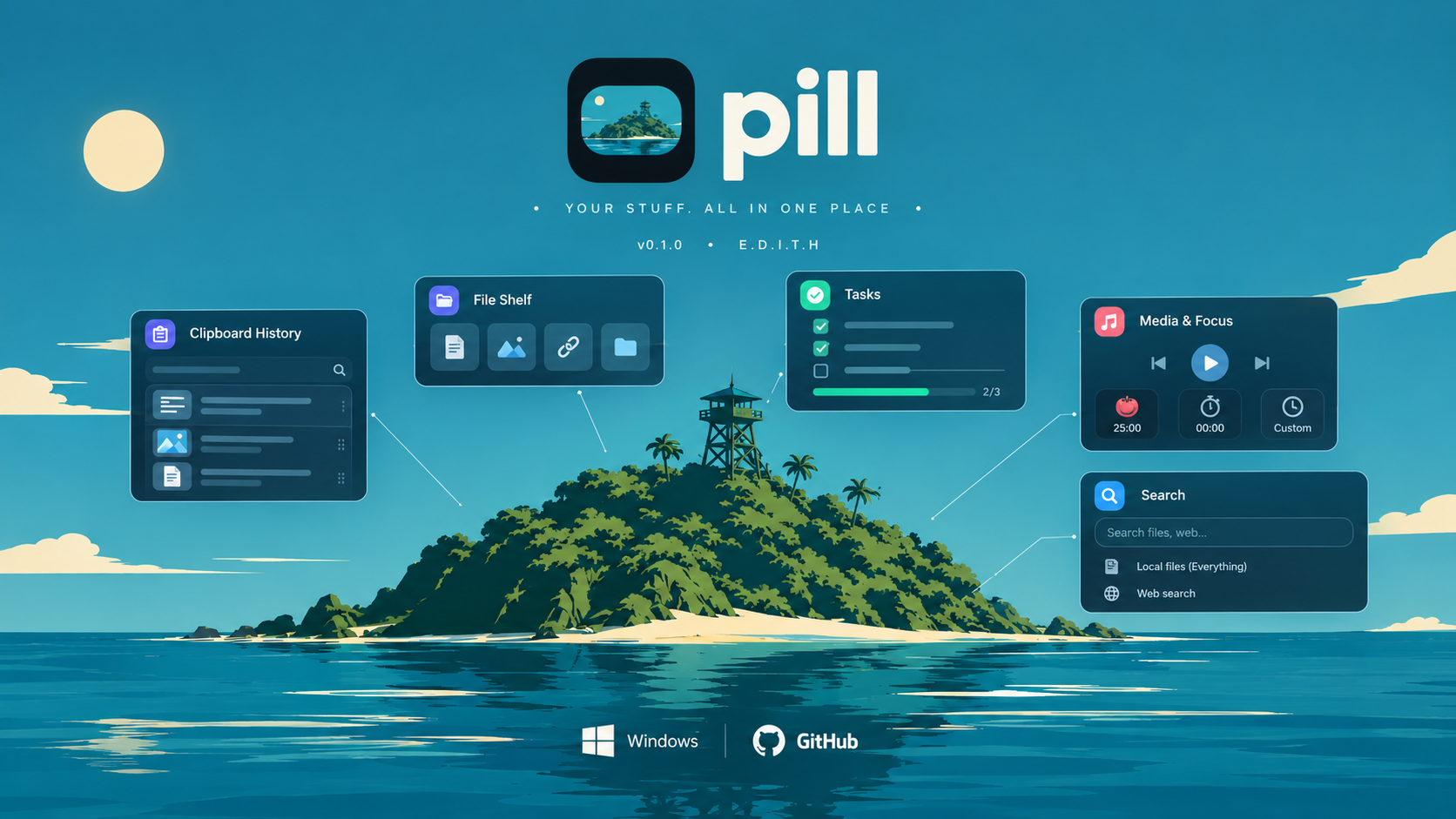
A floating dynamic island for Windows.
Pill lives at the top of your screen as a small, always-on-top pill. Hover it and it opens into a compact panel with everything you were about to switch windows for: your clipboard history, files you dragged in, tasks, media controls, focus sessions, and search.
Version 0.1.0 · Platform Windows 10 / 11 (x64) · Free to use
Author: Asaduzzaman Rumon — info.asrumon.workers.dev
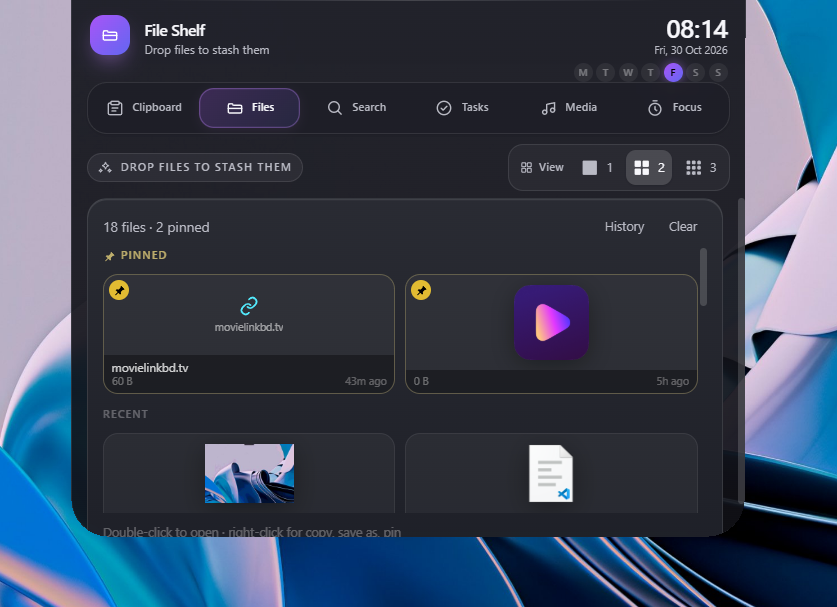 File shelf — Drop files |
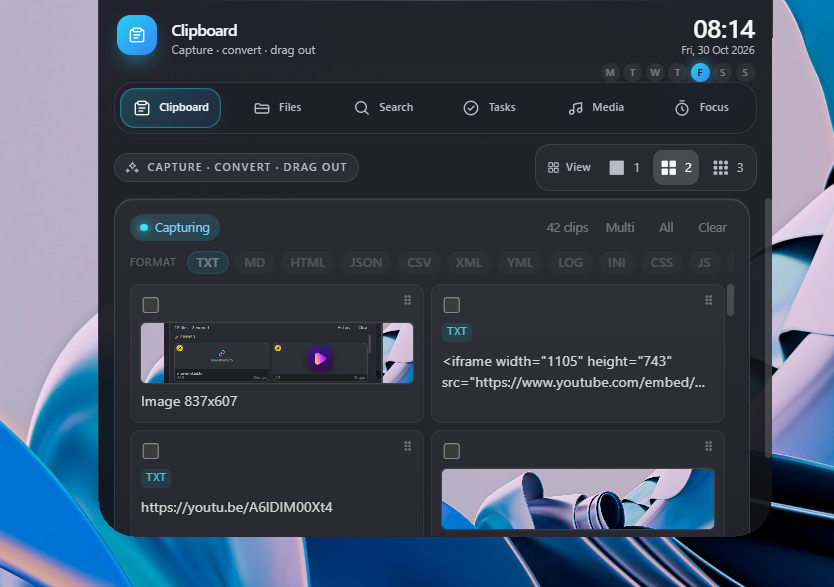 clipboard — access and convert clipboard |
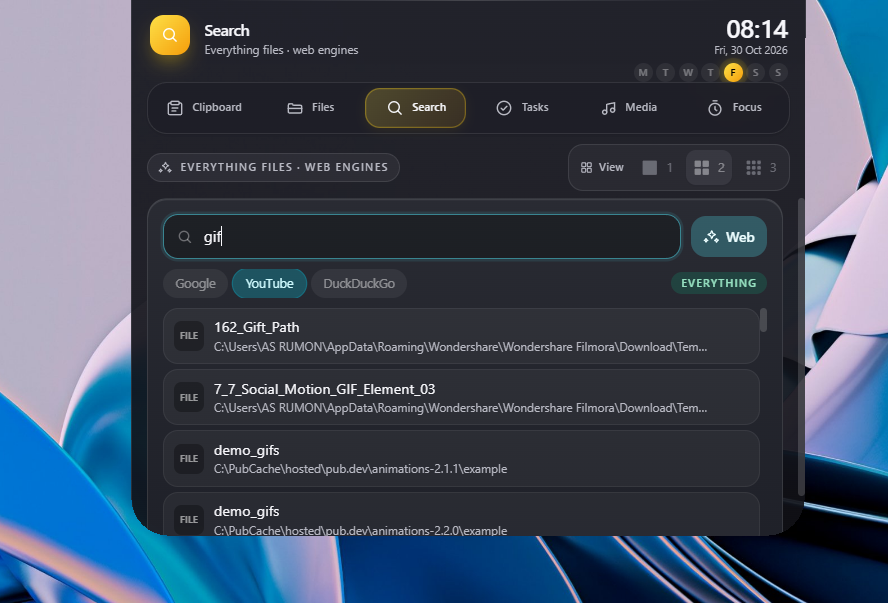 search — search file videos or even Internet |
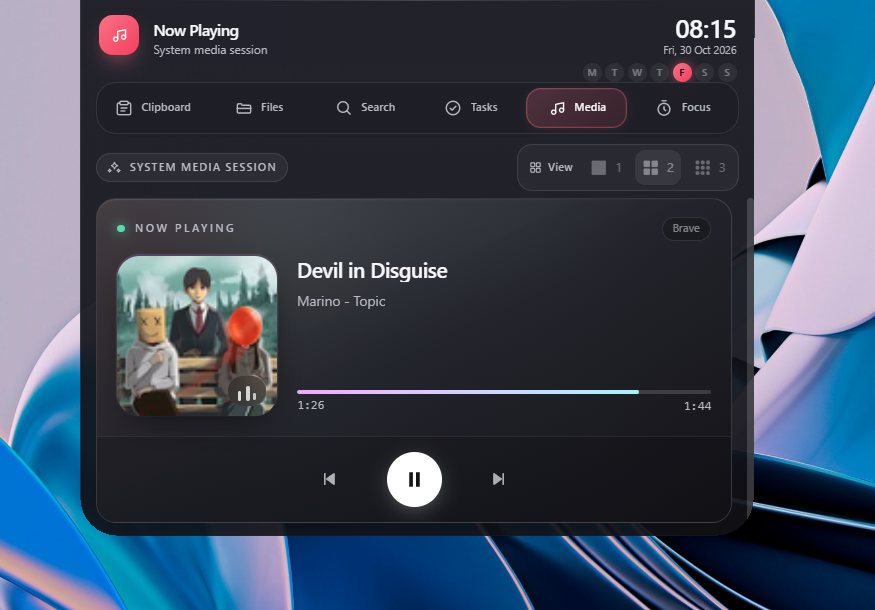 media control |
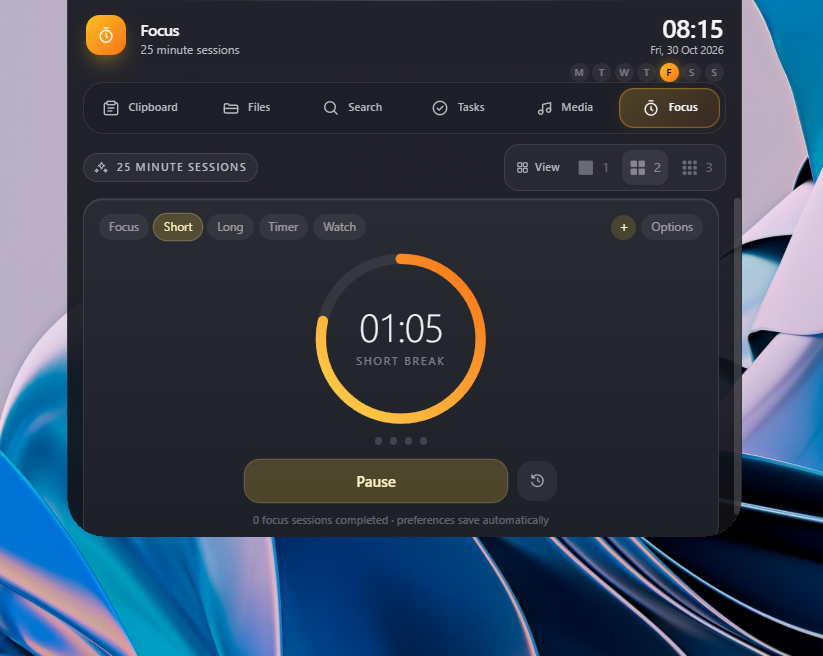 Focus — timer right before your eyes |
- What is Pill?
- Requirements
- Install
- First run
- The island
- Widgets
- Keyboard & mouse reference
- Drag and drop
- Tray menu
- Settings
- File search with Everything
- Your data and privacy
- Questions & answers
- Troubleshooting
- Support Pill
- License
Pill is a small floating bar that sits at the top of your screen. It stays out of the way until you need it — hover it and it opens into a compact panel with the things you reach for all day: your clipboard history, files you dragged in, a quick task list, media controls, focus timers, and search.
- No account. No sign-in.
- No admin rights needed.
- Works offline for everything except web search.
- Always a hover away, never in your way.
| OS | Windows 10 (2004+) or Windows 11, 64-bit |
| Disk | ~15 MB installed |
| Optional | Everything by voidtools — only needed for local file search |
| Not required | No admin rights, no account, no network connection for core features |
Pill installs for your user account only. It never asks for administrator permission.
- Run
Pill_<version>_x64-setup.exe. - Pick a location (or keep the default folder) and finish.
- Pill starts immediately and adds an icon to your system tray.
Upgrading from a pre-release build named dynamic-island? Uninstall that build first — Windows treats it as a separate product.
- The pill appears top-centre of your primary monitor, collapsed.
- Hover it to open the panel. Move the cursor away and it collapses again.
- Use the tab strip to switch between widgets, or press ← / →.
- Right-click any item for a context menu (copy, save as, edit, pin, delete).
- Open Pill Settings from the tray menu.
The island is one fixed window that never jumps or re-centres while it grows — it simply changes shape.
| State | Size | What you see |
|---|---|---|
| Collapsed | 246 × 36 px | Quick-launch icons for every widget + local time |
| Collapsed, session running | 288 × 36 px | Live timer chip replaces the clock (see Focus) |
| Minified | 92 × 24 px | A thin pill, just the island outline |
| Minified, session running | 170 × 34 px | Mode icon, label and countdown with a progress line |
| Expanded | 540 × 430 px | The full panel with header, tabs and the active widget |
Collapse behaviour is pointer-driven: it closes about 200 ms after the cursor leaves, and it never collapses out from under the cursor or while you are dragging something onto it.
Header (expanded) shows a live clock, the date (Thu 30 Oct 2026) and seven weekday dots with today highlighted.
A searchable history of everything you copy.
- Automatic capture of text and images, with a pause switch (Settings, tray, or the widget header).
- Duplicate-safe: copying the same text or image again moves the existing entry to the top instead of adding a copy.
- Multi-select: enable multi-select in the header, or
Ctrl-click rows;Shift-click selects a range. - Drag out: drag any row into Explorer, Slack, VS Code, a chat app or a browser upload field. Images drag as real files.
- Convert and export: the format strip under the search field converts the current selection and drops it out as that format. Text formats:
txt, md, html, json, csv, xml, yml, log, ini, css, js, ts, py, sql, bat, ps1, sh. Image formats:png, jpg, webp. - Instant delete, clear-all, and an Edit dialog that opens the clip in its own window and saves the result as a new clip.
- Context menu: Copy, Save as…, Edit, Delete.
- Layout switch (1 / 2 / 3 columns) in the panel toolbar.
A universal inbox for anything you drag onto the island.
- Accepts files and folders, images, plain text, URLs and HTML — including HTML with embedded images, which are extracted and stored as real assets.
- Files are referenced in place, never copied, so the shelf stays instant even for huge items.
- Thumbnails are taken from Explorer (real thumbnails first, then file-type icons).
- Pin items so they survive clears and never expire. Pinned items sort above the rest.
- Auto-clear: unpinned items leave the shelf after 1 hour, 24 hours or 7 days (or never). The drop history is kept separately.
- Per-item actions: Open, Copy file(s) to clipboard, Save as…, Pin/Unpin, Remove.
- Drag out to any app — inline text/HTML/image items are turned into real files first.
- Multiple files can be dropped at once.
A lightweight checklist for the day.
- Quick add (Enter), tick off, delete.
- Progress counter and bar (
3/5 Tasks Done Today). - Optional 1 / 2 / 3 column layout.
Mirrors the Windows system media session — whatever is playing in Spotify, a browser, or any other app that publishes a media session.
- Artwork-tinted background, title, artist, source app.
- Previous / Play-Pause / Next controls.
- Progress bar and elapsed/total time. Refreshes every 3 seconds.
Pomodoro-style sessions, a stopwatch, and custom timers.
- Modes: Focus, Short break, Long break, Stopwatch, and a custom timer (minutes + seconds).
Session N of Mwith session dots; long break is recommended after every N focus sessions (configurable).- Options panel: focus/break lengths, long-break interval, session alarm, stopwatch alarm.
- Optional audible alarm and desktop notification when a session ends.
- The running session is visible outside the panel: as a chip in the collapsed bar and as the minified pill. Click the chip to jump straight to Focus.
Two kinds of search in one box.
Local file search (Everything) — when Everything is reachable:
- Type two or more characters; results stream in live (name, folder, size, type) with a short debounce.
- Click a result to open it. Drag a result into any app to move/copy the real file — it is a genuine file drag, not a preview.
- Read-only: Pill never modifies or deletes files during a search.
Web search — always available:
- Press Enter or the Web button to open the current term in your browser.
- Engines: Google, YouTube, DuckDuckGo, plus your own custom engines (any
https://…?q={query}template). - The engine chips pick which one Enter uses; the choice is remembered.
- Search links open in the browser you select in Settings — never inside the island.
| Input | Where | Action |
|---|---|---|
| Hover the pill | Island | Expand |
| Move the cursor away | Island | Collapse (~200 ms) |
← / → | Island open | Switch widget (wraps around) |
Ctrl + Alt (default) | Anywhere | Make the island click-through so you can click behind it — changeable in Settings |
Ctrl + V | Island open | Capture the clipboard into the File Shelf |
| Drag anything | Onto the island | Add to the File Shelf (island opens automatically) |
| Click + drag | A clipboard row | Start a native drag-out |
Ctrl + click | Clipboard list | Add to selection |
Shift + click | Clipboard list | Select a range |
| Click a format chip | Clipboard | Choose the drag-out format (drag the chip to export) |
| Double-click a clip | Clipboard | Open the clip editor |
| Right-click | Clipboard / Shelf items | Context menu |
Enter | Search box | Open the term in your browser |
Esc | Search box | Clear the query |
Enter | Search result | Open the file |
Enter | Tasks input | Add task |
Esc | Any context menu | Close it |
| Left-click tray icon | Tray | Show / hide the island |
The click-through shortcut can be set to
Ctrl+Alt,Ctrl+Shift,Alt+Shift,Ctrl+Alt+Shiftor turned off, so it never fights another app's shortcut.
Into Pill:
| You drag | Pill stores it as |
|---|---|
| Files / folders | The original path, never copied |
| Images | Image bytes copied into Pill's asset folder |
| Text | Stored inline |
| A URL | Opened in your browser on click |
| Browser selection (HTML) | HTML, with embedded images extracted to assets |
Out of Pill:
| From | Result |
|---|---|
| Clipboard row | Real file in your chosen format, dropped wherever you like |
| Clipboard format chip | Converts + exports the whole selection as that format |
| Shelf item | Real file (inline items are turned into files first) |
| Search result | The original file, moved/copied by the target app |
- Show Pill — bring the island back
- Settings… — open the settings window
- Toggle Clipboard Capture — pause/resume clipboard history
- Minified Pill — switch between the full bar and the thin pill
- Restart Application
- Quit
Left-clicking the tray icon shows or hides the island.
| Setting | What it does |
|---|---|
| Default text format | Format used when you drag a single clip without picking one |
| Default image format | Same, for image clips |
| Shelf auto-clear | 1 hour / 24 hours / 7 days / Never for unpinned shelf items |
| Click-through shortcut | Modifier combo that makes the island ignore the mouse |
| Search engine | Which engine Enter uses (built-ins + your custom engines) |
| Custom engines | Add your own with a name and a …{query}… URL |
| Browser | System default, or a specific installed browser |
| Everything | Detection status, HTTP port, manual es.exe path, recheck |
| Clipboard capture | Pause or resume the clipboard watcher |
| Start with Windows | Launch Pill automatically when you sign in (per-user, no admin) |
Settings are stored locally. Start with Windows applies the moment you toggle it; the rest are applied with Save.
Pill does not bundle Everything — it talks to your existing install. Two routes, in this order:
es.exe— the Everything command line tool. Auto-detected next toEverything.exe, on yourPATH, or pick it manually in Settings.- Everything HTTP server — enable it in Everything under Tools → Options → HTTP Server, then set the port in Pill (default
80).
If neither is available the widget still works as a web-search launcher and says so.
Everything Pill stores stays on your machine. There are no accounts, no telemetry, and no background uploads. Web searches only go out when you press Enter or click Web, and they open in your browser like any other link.
| What | Where |
|---|---|
| Clipboard, shelf, tasks, settings | %TEMP%\dynamic-island.db3 |
| Shelf image assets | %LOCALAPPDATA%\com.asrumon.pill\assets |
| Thumbnails | %TEMP%\dynamic-island-thumbs |
| Temporary export files for drag-out | %TEMP%\dynamic-island-export |
Clearing the clipboard widget or removing shelf items deletes the underlying rows and image files. Uninstalling Pill removes the program and its startup entry; the folders above can be deleted manually.
Does Pill need an account or internet connection? No. There is no sign-in, and every core feature works offline. Only web search uses the internet, and only when you press Enter or click Web.
Does it need administrator rights? No. Pill installs for your user account and never asks for elevation.
Where does my clipboard history go? It stays on your PC, in a local database. Nothing is uploaded anywhere.
Can I pause clipboard capture? Yes — from Settings, the tray menu, or the clipboard widget header.
Does Pill copy the files I drag onto it? No. Files and folders are referenced in place. Images and text you drag in are stored inside Pill's own folder.
How do I stop the island from covering something?
Hold the click-through shortcut (Ctrl+Alt by default) so clicks pass behind it, or hide it by left-clicking the tray icon. You can change or disable the shortcut in Settings.
Why does file search say "Not found"?
Pill uses your existing Everything install for local file search. Start Everything, then either enable its HTTP server or point Settings at es.exe, and press Recheck. Everything must also be indexing the drive you are searching.
Can I use my own search engine?
Yes. Add a custom engine in Settings with a name and a …{query}… URL. It appears as a chip in the Search widget.
Can I change which browser search links open in? Yes. Pick the system default or a specific installed browser in Settings.
What happens to unpinned shelf items? They clear automatically after the interval you choose (1 hour, 24 hours, 7 days, or never). Pinned items never expire.
Does Pill start with Windows? Only if you turn on Start with Windows in Settings. It is a per-user startup entry and needs no admin rights.
Can I move the pill to another monitor? Pill appears on your primary monitor, top-centre.
Is Pill free? Yes. Pill is completely free to use.
The island is invisible. It may be hidden — left-click the tray icon, or tray → Show Pill. It also auto-hides while another app is borderless full-screen (games, video players).
Clicks pass through the island. You are holding the click-through shortcut (Ctrl+Alt by default). Change it in Settings if it collides with another app.
Everything shows "Not found". Start Everything, then either enable its HTTP server or point Settings at es.exe, and press Recheck.
File search is empty but Everything works. Everything indexes only the volumes you added in its own settings; Pill can only see what Everything sees.
The icon looks stale in Explorer. Windows caches icons: run ie4uinit.exe -show, or move the exe.
Start with Windows did nothing. The toggle points at the executable that is running. Test it from an installed build, not a development copy.
A clipboard entry shows a broken image. Image assets live in Pill's app-data folder; if that folder was cleared, re-copy the image.
Pill is free to use. If you enjoy it and would like to say thanks, you can buy me a coffee — it's optional and always appreciated.
Free to use.
Copyright © 2026 Asaduzzaman Rumon. All rights reserved.
Pill is free of charge for personal and commercial use, on any number of machines you own or operate.
Everything is optional, third-party software and is not bundled or redistributed with Pill.
Made by Asaduzzaman Rumon · info.asrumon.workers.dev