
Key takeaways
- A sales chatbot sells, a support bot resolves. It qualifies visitors, recommends products, recovers carts, books meetings, and passes warm leads to a person.
- Best for small and mid-sized e-commerce stores: Tidio. It has a free plan, paid plans from $24.17 a month on annual billing, and Lyro product recommendation cards on Shopify and WooCommerce.
- Best for B2B teams on a CRM: HubSpot or Qualified. HubSpot is free for up to 2 users. Qualified is built for Salesforce pipelines and has no public price.
- Best for selling in DMs: ManyChat for Instagram and TikTok, WATI for WhatsApp.
- Results in chatbot case studies are self-reported. Treat any lift as a number to test on your own traffic, and pilot one use case for 30 days first.
A shopper opens a jacket page at 4pm on a Thursday and asks whether it ships before Friday. Nobody is online, so the tab closes. Baymard Institute puts the average online cart abandonment rate at 70.22%[1], calculated from 50 studies, and a question left unanswered is one of the easiest ways to lose a sale. A sales chatbot answers that question in seconds, then shows products and passes warm leads to a person. This guide is for store owners, marketers, and small sales teams. It compares 8 tools and names the best pick for each job: Tidio for small and mid-sized e-commerce, HubSpot for teams that live in a CRM, and Qualified for Salesforce B2B pipelines. Tidio is our product, and the list says where it falls short.
What is a sales chatbot?
A sales chatbot is software that talks to website visitors and social media followers to move them toward a purchase. It asks questions, recommends products, qualifies leads, and books meetings, then hands ready buyers to a person. A support chatbot has a different goal: closing tickets.
Four differences separate the two:
- Goal: a support bot resolves issues, a sales bot captures leads and revenue.
- Opening move: a support bot waits for a question, a sales bot can speak first.
- Data it needs: a support bot reads your help center, a sales bot also reads your catalog, prices, and qualification rules.
- Success metric: a support bot reports resolution rate, a sales bot reports qualified leads, booked meetings, and chat-assisted orders.
Most tools in this list do both. Tidio, Intercom, and HubSpot run support and sales in one inbox, so the same bot can answer a shipping question and then offer a discount. Read our explainer on what a chatbot is if you are starting from zero.

Sales chatbot or AI agent: which do you need?
Start with a rule-based chatbot if your sales paths are predictable, such as “show me a discount” or “book a call”. Add an AI agent when visitors ask open questions that no script can cover. Many small teams run both: scripted flows for the buying paths, an AI agent for everything else.
A rule-based bot follows branches you draw. An AI agent writes answers from the content you give it, such as product pages, FAQs, and policies, and can take actions like adding an item to the cart. At Tidio, Flows is the scripted builder and Lyro is the AI agent. The scripts keep a discount offer exact. The agent handles “will this fit a size 10 foot?”.
The verdict for a small team: build one Flow for your highest-value path first, and turn on the AI agent once you have 20 real visitor questions to feed it.
What a sales chatbot does for you
A sales chatbot earns its place with six jobs. Each one below has an example exchange, a handoff rule, and a metric to watch. Our guides on AI for sales and AI sales assistant software go deeper on the software side.
Qualify leads before a rep gets involved
A qualification flow asks three or four short questions about what the visitor wants, their budget, and their timeline. The bot scores the answers and sends only the qualified ones to your team. B2B sites and service businesses start here. See our guide to a chatbot for lead generation.

Handoff rule: pass the chat to a person when the visitor names a team size above your limit, asks for a custom quote, or asks for a human. Metric: the share of chats that become sales-qualified leads.
Recommend products from your catalog
A shopper types “a gift for my dad under $80”. The bot asks one follow-up, then shows product cards with a picture, name, and price. In Tidio, Lyro reads your Shopify or WooCommerce catalog and syncs changes in real time. On Shopify and WooCommerce the shopper can add an item to the cart from the card. It needs a paid Lyro quota or the free 7-day trial.

Handoff rule: hand over when the shopper asks about bulk orders, custom engraving, or anything not in your catalog. Metric: chat-assisted orders and the average order value of chats compared with visits that never chat. Our product recommendation chatbot guide covers setup.
Recover abandoned carts
Cart recovery is the most direct way a chatbot earns revenue. A visitor adds an item, then goes quiet or moves to leave. The bot asks if something stopped them, answers the shipping or sizing question, and can offer a coupon. Tidio’s Flows templates include Cart Abandoned and Cart Booster, and a Coupon Code node syncs codes with your Shopify store. Pair it with the ways to reduce shopping cart abandonment.

Handoff rule: send to a person when the visitor reports a payment error or a problem with an earlier order. Metric: recovered carts as a share of triggered chats.
Book meetings and appointments
For service businesses and B2B teams, a booked slot is the sale. The bot asks for a name, email, and time, then writes the booking into your calendar. Tidio’s Flows include an appointment booking template. Lyro can book through a Smart Action such as a Calendly connection, which needs a little API setup.
Handoff rule: a person confirms any booking for a high-ticket service. Metric: the booked-to-held meeting ratio, since a bot that books no-shows still wastes rep time.
Message visitors first
A proactive message starts the conversation before the visitor types. It works best on high-intent pages, such as pricing and checkout. Lyro’s proactive roles can start chats on triggers such as visiting a pricing page, and they work in the website widget only, not on Messenger, Instagram, or WhatsApp. See proactive live chat for the trigger ideas.
Handoff rule: stop proactive messages for visitors who closed the chat once. Metric: the share of proactive chats where the visitor replies.
Hand off to a sales rep with context
The bot passes the transcript, the visitor’s answers, and the page they were on, so nobody asks the same question twice. Tidio lets you set handoff rules and monitor chats in real time, and it saves transcripts to HubSpot and Salesforce as notes.

Handoff rule: write down which triggers send a chat to a person before you launch, and who picks it up. Metric: time to first human reply after a handoff.
Do chatbots increase sales?
Yes, in the cases below, but every figure comes from the company’s own report and none is a controlled test. A chatbot adds sales when it answers a question at the moment of intent, so the lift depends on your traffic, catalog, and handoff. These are Tidio customer stories, which means they are self-reported and not independently audited:
- Procosmet, an Italian beauty brand on Shopify, reports sales up 23% and conversions up 27% after setting up Tidio. Leads grew from 10 to 30 a month to over 100.
- Pastreez, a macaron shop, reports that 70% of chat inquiries became orders. It is a single small shop, and the figure counts chat inquiries, not all visits.
- ADT Security Service reports lead-to-sale conversion moving from 44% to 61% using Flows.
- NSI Australia reports 400+ orders assisted in 30 days. That counts orders, not revenue.
Treat them as ideas to test. Pick one metric, such as chat-assisted orders or qualified leads, and compare 30 days with the bot against 30 days without.
Sales chatbots at a glance
Here is every tool in one view. Prices are the entry paid plan on each vendor’s pricing page, with the billing basis in the cell.
| Tool | Best for | Where it sells | Free plan | Starting price | G2 rating |
|---|---|---|---|---|---|
| Tidio | Small and mid-sized e-commerce stores | Website, Messenger, Instagram, WhatsApp, email | Yes, 50 billable conversations | $24.17/mo, annual | 4.6 (1,962) |
| HubSpot | Teams that live in the CRM | Website chat on the CRM | Yes, up to 2 users | Service Hub Starter from $7/seat/mo | 4.4 (3,017), Service Hub |
| Intercom | Chat covering sales and support | Website Messenger | Trial only | $29/seat/mo, annual, plus Fin per-outcome fees | 4.5 (3,913) |
| Qualified | Salesforce B2B pipelines | Website, email, meetings | None listed | Custom, after a demo | 4.9 (1,561) |
| ManyChat | Selling in social DMs | Instagram, TikTok, Messenger, Telegram; WhatsApp, SMS, email from Pro | Yes, 25 contacts | $14/mo, annual | 4.5 (165) |
| Landbot | No-code lead capture flows | Website, WhatsApp | Yes, 100 chats | $36/mo, annual | 4.7 (334) |
| WATI | Selling on WhatsApp | WhatsApp, plus Facebook, Instagram, widget | No, 7-day trial | EUR 59/mo, annual, plus message fees | 4.6 (514) |
| Chatbase | A trainable AI agent | Website and messaging apps | Yes, 50 credits | $40/mo, monthly basis | 4.8 (46) |
How we compared these tools
We looked at six things for each tool, using vendor pricing pages, product pages, and G2 profiles as of 7 October 2026:
- Sales jobs covered: qualify, recommend, recover carts, book, hand off.
- Where it sells: website, WhatsApp, Instagram, or email.
- Price on the public page: seats, usage, and add-ons, with the billing basis.
- Free plan or trial: how far you get before paying.
- AI agent and G2 rating: whether it answers open questions, what it costs, and the review count read on the day.
We did not run a trial of every tool. Our shortlist leaves out two kinds of products on purpose: enterprise tools with no public price, such as Warmly (chat from $20,000 a year) and ZoomInfo Chat, and Zendesk Sell, which is a CRM that Zendesk says it will retire on 31 August 2027.
The 8 best sales chatbots in 2026
1. Tidio: best for small and mid-sized e-commerce stores
Tidio puts live chat, Flows, email, and the Lyro AI agent in one inbox. It sells through the website widget, Messenger, Instagram, and WhatsApp, and it syncs with Shopify and WooCommerce. It fits stores where visitors ask buying questions, and it can run the cart recovery and booking flows above.
Tidio fits these teams best:
- E-commerce businesses, especially Shopify stores, thanks to native features such as live cart preview and order history.
- Small and medium-sized businesses that want to streamline customer support without large teams, thanks to automation and AI.
- Businesses with high support volume that want to automate repetitive inquiries and reduce ticket load. Tidio says Lyro can resolve up to 67% of customer questions automatically.
- Companies across industries (retail, SaaS, services, and more) that talk to website visitors and want faster responses and higher conversion rates.
- Teams that manage live chat, email, Messenger, Instagram, and WhatsApp in one place.
Key features:
- Lyro AI agent: answers from your content, recommends products as visual cards, and hands off to a person by rules you set.
- Flows: a no-code builder with 40+ templates, including cart recovery, upsell, lead forms, and appointment booking.
- Lead capture: pre-chat surveys that save contacts, plus HubSpot, Salesforce, Pipedrive, Klaviyo, Mailchimp, and Zapier connections.
- Shopify tools: see what is in a shopper’s cart and their order history from the inbox.
Pros
- A free plan and a 7-day trial let you test the setup before you pay.
- Chat, tickets, email, and the AI agent share one inbox, so no one repeats information.
- Up to 10 agents on self-serve plans, with the sales Flows built in.
Cons
- Conversations, Lyro, and Flows are priced separately, so you pay only for what you use, but there are a few quotas to watch, including 50 free Lyro conversations before you buy a quota.
- Lyro product recommendations need a paid Lyro quota (or the trial) and work best on Shopify or WooCommerce stores with full product descriptions.
- The HubSpot and Salesforce connections create contacts and save transcripts as notes, so deal stages and pipeline reports stay in your CRM.
Pricing: from Tidio’s pricing page, billed annually (monthly in brackets): Free $0 (50 billable conversations); Starter $24.17/mo ($29); Growth from $49.17/mo ($59); Plus from $300/mo plus usage; Premium on request. Lyro starts at $32.50/mo on annual billing for 50 conversations.
Rating: G2 4.6/5 (1,962 reviews) and Capterra 4.7/5 (590 reviews), observed 7 October 2026.
See Tidio plans and Lyro pricing
2. HubSpot: best for teams that live in the CRM
HubSpot gives you live chat and a chatbot builder inside the CRM you may already use. Every chat lands on the contact record, so a rep sees the history before they reply. AI features run on HubSpot Credits.
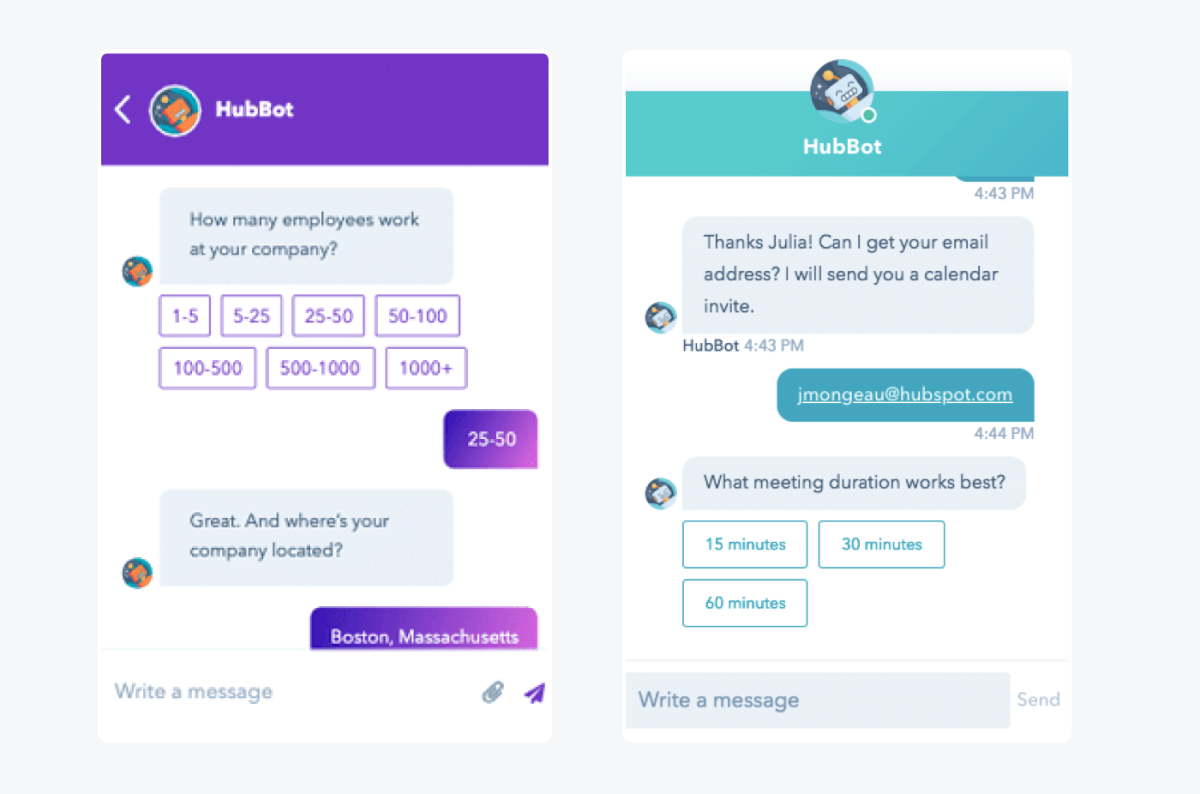
Key features:
- Live chat and chatbot builder: included in the free tools.
- Customer Agent: an AI agent that answers questions, paid with credits.
Pros
- Free for up to 2 users, so you can test chat with no card.
- Chat history sits on the CRM record, so sales sees the context.
Cons
- Professional costs $90 per seat a month plus a one-time $1,500 onboarding fee.
- AI actions use credits, so spend depends on how often the agent works.
Pricing: Free for up to 2 users. Service Hub Starter shows $7 per seat a month, with $20 struck through on HubSpot’s pricing page. Professional is $90 and Enterprise $150 per seat a month, plus onboarding fees of $1,500 and $3,500.
Rating: G2 4.4/5 (3,017 reviews) for Service Hub, observed 6 October 2026.
3. Intercom: best for chat that covers sales and support
Intercom suits teams that want a messenger, a shared inbox, and an AI agent in one product. Its Fin AI agent has a sales mode: Intercom says Fin for Sales answers pricing and product questions, qualifies leads, and routes qualified buyers to a sales rep. The price has two parts, seats and usage.
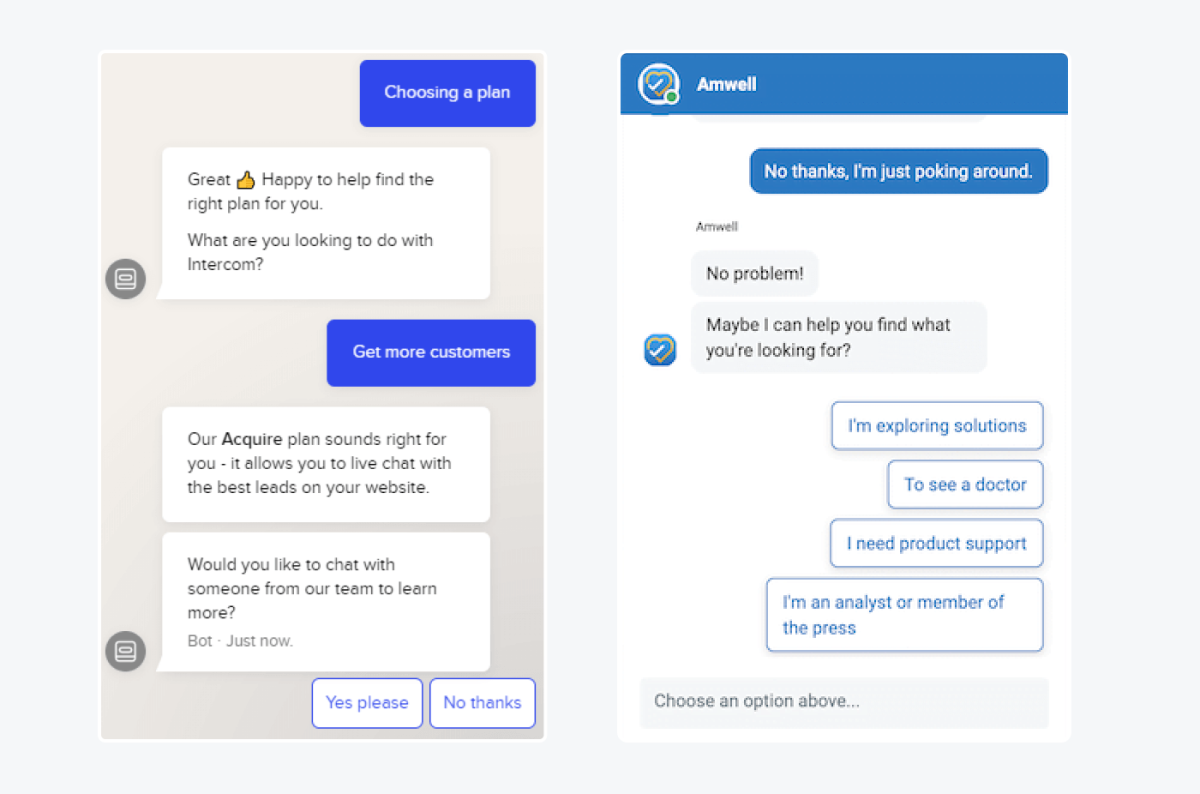
Key features:
- Fin for Sales: answers pricing questions, qualifies leads, and routes buyers to a rep.
- Messenger and shared inbox: chat, tickets, and a public help center.
Pros
- One inbox covers sales and support chats.
- The seat plans scale from small teams to large ones.
Cons
- Fin bills per outcome on top of seats, including $9.99 per qualification, so the bill grows with lead volume.
- One full seat is the minimum, and the workflow builder starts at Advanced.
Pricing: per seat per month, billed annually: Essential $29, Advanced $85, Expert $132. Fin for Sales is billed per outcome: $9.99 per qualification and $0.99 for self-serve routing, disqualification, or resolution. Source: Intercom’s pricing page and Fin for Sales FAQ, 7 October 2026. See our Intercom alternatives if the seat price looks high.
Rating: G2 4.5/5 (3,913 reviews), observed 6 October 2026.
4. Qualified: best for Salesforce B2B pipelines
Qualified is the sales-first pick for a B2B team that lives in Salesforce. It sells Piper, an AI SDR agent that talks to buyers on your site, in email, and in meetings, and describes itself as coming from Salesforce. It is built for pipeline, not for support or stores.

Key features:
- Piper Conversations: real-time chat with buyers on your website.
- Piper Meetings and Email: books meetings and follows up with inbound leads.
Pros
- Built for B2B inbound, the job that Drift used to do.
- A 4.9 G2 rating from 1,561 reviews.
Cons
- There is no public price, so you need a demo to see a plan.
- It targets B2B pipeline teams, so a store or support desk would not use most of it.
Pricing: custom. Qualified says it builds a plan around your pipeline needs after a demo.
Rating: G2 4.9/5 (1,561 reviews), observed 6 October 2026.
5. ManyChat: best for selling in social DMs
ManyChat automates chat marketing in social DMs: Instagram, TikTok, Facebook Messenger, and Telegram on its Free and Essential plans, with WhatsApp, SMS, and email from Pro. Its pricing page lists messaging channels, not a website chat widget, so it fits creators and direct-to-consumer brands that sell through DMs.
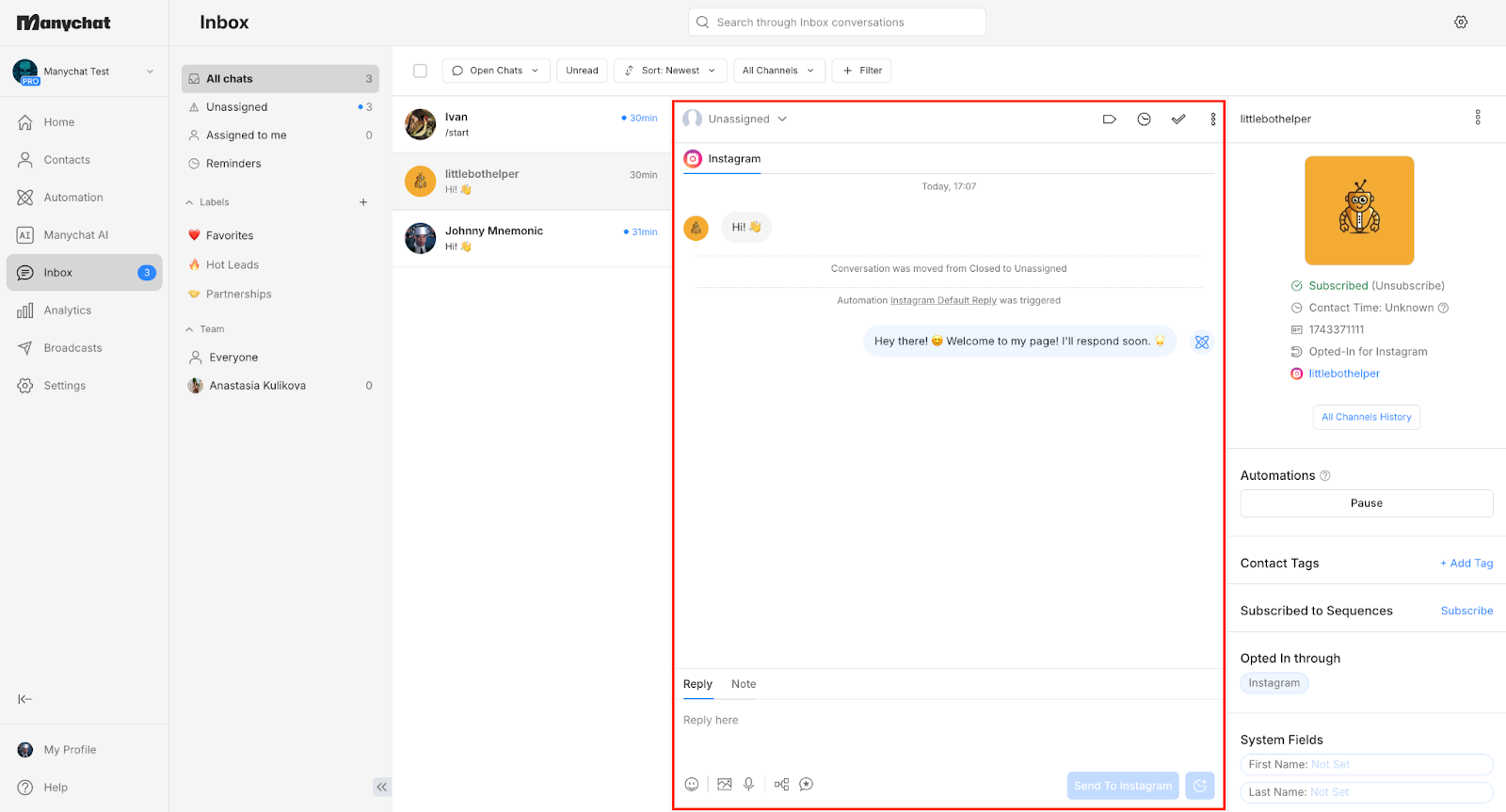
Key features:
- DM automations: unlimited automations, tags, segmentation, and broadcasts.
- AI replies: ManyChat AI answers in DMs and comments, included from Pro.
Pros
- A free plan covers 25 active contacts.
- Essential costs $14 a month on annual billing.
Cons
- Free and Essential cap at 2 channels, and WhatsApp, SMS, and email start at Pro.
- Price scales with active contacts, so a growing list costs more each month.
Pricing: Free $0 (25 active contacts, ManyChat branding); Essential $14/mo billed annually (250 contacts); Pro $29/mo billed annually (2,500 contacts). Source: ManyChat’s pricing page.
Rating: G2 4.5/5 (165 reviews), observed 7 October 2026.
6. Landbot: best for no-code lead capture flows
Landbot is a no-code builder for chatbots on the web and WhatsApp. It describes sales use as qualifying leads and booking meetings, and its Professional plan adds HubSpot and webhook integrations. Plans are priced by chats a month, with a number of AI chats bundled in.
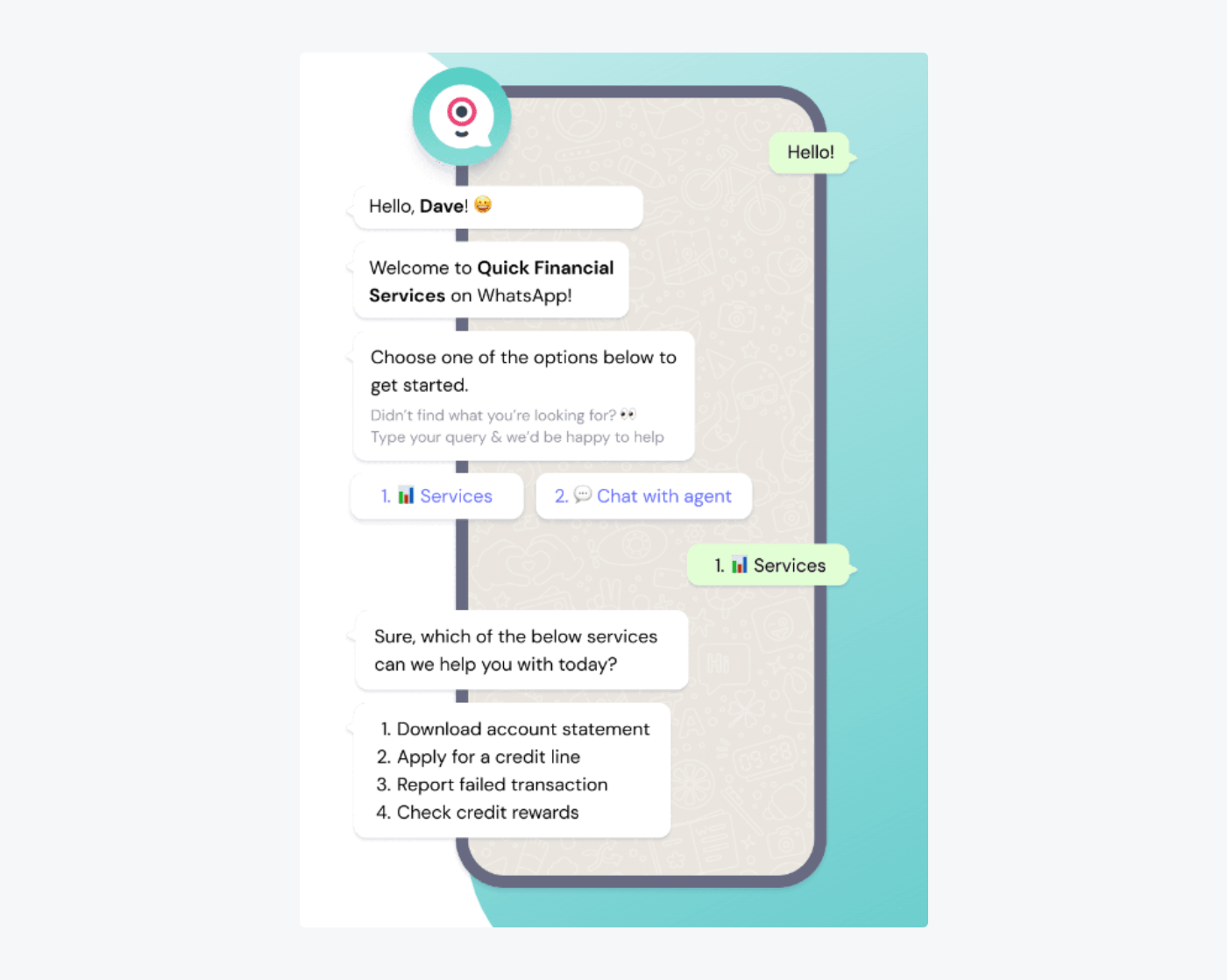
Key features:
- Visual flow builder: web and WhatsApp conversations without code.
Pros
- A free plan covers 100 chats a month.
- A 4.7 G2 rating from 334 reviews.
Cons
- The free plan has no AI chats, and Starter shows Landbot branding.
- A WhatsApp number of your own starts at Professional and costs $88 a month extra.
Pricing: Free $0 (100 chats/mo); Starter $36/mo billed annually ($45 monthly, 500 chats); Professional $88/mo billed annually ($110 monthly, 2,500 chats). Source: Landbot’s pricing page.
Rating: G2 4.7/5 (334 reviews), observed 7 October 2026.
7. WATI: best for selling on WhatsApp
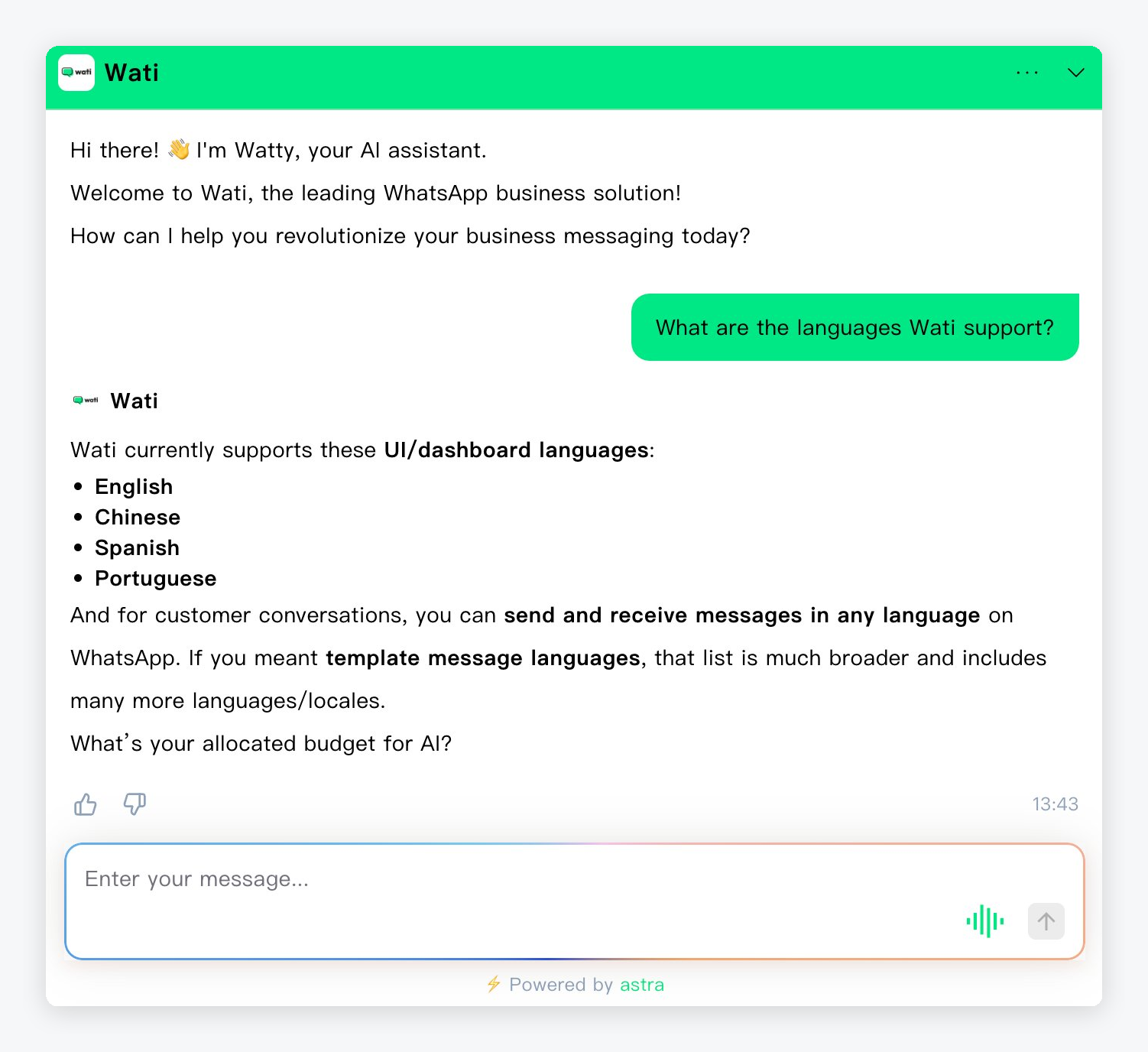
WATI is a WhatsApp Business API platform with a team inbox, campaigns, and chatbots. Its Pro plan advertises lead qualification, a HubSpot integration, and Shopify abandoned-cart templates. It suits small teams that sell mainly over WhatsApp.
Key features:
- WhatsApp inbox and campaigns: one shared number for the team.
- Chatbots and forms: lead qualification on Pro.
Pros
- Built around WhatsApp, where many buyers already chat.
- A 4.6 G2 rating from 514 reviews.
Cons
- Message fees are charged on top of the plan.
- Growth allows one channel and no extra users, and the Astra AI agent is an add-on with no public price.
Pricing: no free plan, 7-day trial. Growth EUR 59/mo billed annually (3 users, 1 channel); Pro EUR 119; Business EUR 279. Seen in the EU view of the pricing page, so check your own currency. Source: WATI’s pricing page.
Rating: G2 4.6/5 (514 reviews), observed 7 October 2026.
8. Chatbase: best for a trainable AI agent
Chatbase lets you train an AI agent on your own content and deploy it to your website and messaging apps. Its homepage lists a sales agent template, and its integrations include Calendly, HubSpot, Shopify, and Stripe. It positions itself as an AI agent for customer experience, so sales is one use among several.

Key features:
- Sales agent template: engages prospects and answers product questions.
- Outbound campaigns: on the Standard plan.
Pros
- A free plan covers 50 message credits a month.
- A 4.8 G2 rating, though only from 46 reviews.
Cons
- Outbound campaigns start at the $150 Standard plan.
- Free agents are deleted after 14 days of inactivity, and branding removal is a $99 add-on.
Pricing: Free $0 (50 message credits); Hobby $40/mo (700 credits, 2 members, monthly basis, 20% off yearly); Standard $150; Pro $500. Extra credits cost $40 per 1,000. Source: Chatbase’s pricing page.
Rating: G2 4.8/5 (46 reviews), observed 7 October 2026.
How to choose a sales chatbot
Match the tool to where your sales happen. Sell from a website catalog, and Tidio fits. Work inside a CRM, and HubSpot fits, or Qualified for Salesforce. Chat with buyers in DMs, and ManyChat or WATI fit. Check price per seat or per conversation before you commit.
If you run a Shopify store
Choose Tidio on a paid plan, such as Growth with Lyro, so recommendations and cart recovery run for every visitor. It reads cart contents and order history from Shopify, and recommends products from your catalog. See our Shopify chatbot guide for setup. A specialist like Landbot fits if your main job is lead forms, not a store.
If you sell B2B
HubSpot fits teams that already work in HubSpot, and Qualified fits Salesforce teams that can pay for a custom plan. Drift was the usual B2B choice until Salesloft announced it would retire the product on 31 January 2027, as its own sunset FAQ says. If you used it, our Drift alternatives guide covers the switch. Tidio can qualify visitors and book meetings, but it is built for support and e-commerce teams, so pipeline stages stay in your CRM.
If you sell in social DMs or on WhatsApp
ManyChat covers Instagram and TikTok DMs. WATI covers WhatsApp, with message fees on top. Tidio also connects Instagram, Messenger, and WhatsApp in one inbox, which helps if the same team answers all of them. Our guides on a WhatsApp chatbot and an Instagram chatbot show the setups.
Compare the pricing model
Seat pricing (HubSpot, Intercom) grows with your team. Usage pricing (Tidio Lyro, Chatbase, Intercom Fin per outcome) grows with your traffic. Contact-based pricing (ManyChat) grows with your list. Estimate your monthly chats before you pick. Our chatbot pricing guide shows typical ranges.
What a sales chatbot should not do
A sales chatbot should never negotiate custom prices, promise a discount you did not set, give legal or medical advice, or take card numbers in the chat. Hand those conversations to a person. Hand over upset visitors too: a bot that keeps selling to them loses the customer.
Two rules keep you clear of trouble:
- Get consent before you collect or follow up. If you collect emails or phone numbers from visitors in the EU or UK, the GDPR requires consent that is freely given, specific, informed, and unambiguous. If you message leads on WhatsApp, WhatsApp’s business policy requires their phone number and explicit consent that names your business. Check the rules for texts and calls in your own country too.
- Say it is a bot. Tell visitors when they are talking to AI, and show a clear way to reach a person.
This is not legal advice. Ask your vendor for its data processing terms before you launch.
How to start in five steps
- Pick one job. Choose the page where visitors leave, such as checkout or pricing, and one goal, such as recovered carts or booked meetings.
- Write the script. Draft the opening line, three questions, and one handoff rule. Short beats clever.
- Connect your data. Link your catalog, calendar, or CRM so the bot has real products and real open slots. Our guide to building a chatbot for a website walks through the setup.
- Test with 10 real questions. Ask the bot what your customers actually ask, and fix every wrong answer.
- Run a 30-day pilot. Track one metric, compare it with the 30 days before, and read unresolved chats every week.
Recommend products and recover carts with Lyro and Flows
Frequently asked questions
A sales chatbot is software that talks to visitors to move them toward a purchase. It asks questions, recommends products, qualifies leads, books meetings, and passes warm leads to a person. Many tools combine it with a support bot, so one inbox handles both.
They can. Companies report gains in conversions, chat-assisted orders, and qualified leads, but those figures are self-reported, as the case studies above show. A chatbot adds sales when it answers a question at the moment a visitor is ready to buy. Test one use case for 30 days.
For a small e-commerce business, Tidio fits best, thanks to its free plan, paid plans from $24.17 a month on annual billing, and Shopify and WooCommerce tools. HubSpot suits small teams that already use its CRM, and ManyChat suits creators who sell in Instagram DMs.
For B2B teams on Salesforce, Qualified is the sales-first option, with a custom price. HubSpot’s chatbot builder fits teams on its CRM and is free for up to 2 users. Both write chat history to the contact record, so reps see context.
Prices run from free to $20,000 a year or more. Free plans exist at Tidio, HubSpot, ManyChat, Landbot, and Chatbase. Paid plans start between $14 and $59 a month, and enterprise tools such as Qualified and Warmly sell by quote. AI usage often costs extra.
Not for complex deals. A chatbot can qualify, recommend, and book, but custom pricing, negotiation, and relationships stay with a person. Treat it as the first conversation, and write down when a human takes over.
Use live chat to support your customers in real-time
